Tax Season Document Collection Checklist for Accounting Firms
69% of accounting firms are delayed by slow client document collection. The firms that survive tax season without the chaos prepare the collection infrastructure in November — not January.
On this page
Tax season is not a sprint. It is a collection problem that starts in November and a deadline problem that starts in January. Firms that treat document collection as something to figure out in February are already behind — not because they are disorganised, but because they have built their process backward.
The firms that consistently close engagements on time share one operational pattern: the collection infrastructure is ready before the first client organiser goes out. Templates are built, portals are configured, reminder sequences are armed, and the team knows exactly what “complete” looks like for every engagement type. The collection itself is a formality. The work is the preparation.
The core preparation window
Tax season for individual returns opens in late January with W-2 and 1099 availability. S-Corporation and partnership returns are due March 15. Individual returns are due April 15. Your document collection infrastructure needs to be ready before January. Configuring it in February means you are collecting documents during your most constrained period.
69%
of accounting firms report being delayed by slow client document collection during tax season
Source: 2025 Accounting Industry ReportWhy collection fails every year
The same failure modes appear in firm after firm, year after year. They are not skill problems. They are systems problems that repeat because the system is not examined between seasons.
Recurring tax season collection failure patterns
- Request templates are rebuilt from scratch each year — no standardised base, no institutional memory.
- Clients receive document requests by email with no structure — they guess what "all your documents" means.
- Reminder sequences are manual — a staff member composes follow-ups by hand during peak season.
- No single view of what is outstanding — status lives across inboxes, spreadsheets, and memory.
- Wrong-format resubmissions are handled individually — no guardrails prevent the first submission from being unusable.
- Collection and preparation overlap — team is still chasing documents while also preparing returns for completed clients.
- The engagement letter and the document request are sent separately — clients see two processes when there should be one.
Each of these is fixable with a single off-season session. The problem is that off-season is when it feels least urgent.
The complete document checklist by engagement type
This is the reference-level document checklist for the three engagement types that account for 80%+ of tax season volume. Use it to build or validate your request templates.
Tax season documents by engagement type
| Document | Individual / 1040 | S-Corp / Partnership | C-Corp |
|---|---|---|---|
| Prior year federal tax return | ✓ (2 years) | ✓ (2 years) | ✓ (2 years) |
| W-2s (all employers) | ✓ | — | — |
| 1099-NEC / 1099-MISC (all payers) | ✓ | ✓ | ✓ |
| 1099-INT (all accounts) | ✓ | ✓ | ✓ |
| 1099-DIV (all accounts) | ✓ | — | — |
| K-1 statements (all partnerships/S-Corps) | ✓ | — | — |
| Bank statements (all accounts, all pages) | ✓ | ✓ | ✓ |
| Business income and expense records | — | ✓ | ✓ |
| Payroll records / W-3 + W-2 filings | — | ✓ | ✓ |
| Mortgage interest statement (Form 1098) | ✓ | — | — |
| Property tax statements | ✓ | — | — |
| Charitable donation records | ✓ | — | — |
| Estimated tax payment records | ✓ | ✓ | ✓ |
| Business vehicle mileage logs | — | ✓ | ✓ |
| Signed engagement letter | ✓ | ✓ | ✓ |
| Government-issued ID (first year clients) | ✓ | ✓ | ✓ |
The preparation timeline
The difference between a chaotic tax season and a controlled one is almost entirely determined by what happens between October and December. This timeline gives you the operational sequence.
Tax season preparation calendar
October
Conduct a prior season retrospective
Pull the data from the prior season before memory fades. Which clients submitted late? Which documents required resubmission? Which request categories generated the most clarification questions? Which template items were ambiguous? This is the raw material for every improvement this cycle.
November
Update and rebuild request templates
Revise your document request templates based on the retrospective. Update for any law changes, new form types, or entity changes in your client base. Build category-specific templates for 1040, S-Corp, partnership, and C-Corp engagements. A template that needs to be explained is a template that needs to be rewritten.
November
Configure portals and reminder sequences
Set up your client portal infrastructure before you need it. Configure your reminder cadence — T-7, T-3, T-1, and T+0 is the standard pattern for tax document collection. Confirm that reminders stop automatically when clients complete submissions. Test the client experience from a non-firm device.
Early December
Send advance notice to all returning clients
A short message in December — before W-2s and 1099s are even available — reduces January congestion significantly. The message does two things: confirms the engagement is continuing and tells the client when and how their request will arrive. Clients who expect the portal link respond faster than clients who receive it cold.
Late December
Prepare engagement letters for January delivery
Batch-prepare engagement letters so they can go out in the first week of January alongside the document request. Separating these into two separate processes creates two separate client interactions when there should be one unified intake.
Late January
Open collection — first wave
Individual client portals go live as W-2s and 1099s become available (IRS deadline for employers is January 31). The first reminder fires automatically. Your team monitors the dashboard, not inboxes.
February
Mid-season triage
By mid-February you have a clear picture of who is on track and who is blocking. Run an exception report: clients with zero submissions, clients with partial submissions for critical documents, and clients approaching the window for S-Corp or partnership filing (March 15). Escalate those three groups with specific outreach — not the generic reminder sequence.
March 1
Internal soft deadline — individual returns
Set an internal cut-off two to three weeks before April 15 for receiving complete documentation. Returns submitted after this date go into the extension queue. Communicate this to clients in the January message — not as a threat, as a planning tool.
March 15
S-Corp and partnership returns due
Final push for business entity clients. Any client still incomplete at this point gets a direct call — not an automated reminder. Document the conversation and the agreed extension plan.
April 1
Extension decisions and final close
With two weeks to the April 15 deadline, file extensions for all clients who have not completed document submission. Document the incomplete items so the fall extension season does not start from zero.
Building the complete collection system
The checklist and the timeline above are artifacts of a system. The system has four layers that must all be in place before collection opens.
Collection system setup — four layers
Layer 1: Structured request templates for every engagement type
Every document in your request template must include: the exact name of the document, the format required (PDF, specific export format), whether it is required or optional, the due date, and what a correct submission looks like. A request that needs explanation is incomplete. See what good request templates look like.
Layer 2: Frictionless client access
The client should be able to access their document checklist without creating an account, without downloading an app, and without finding a username they set up last year. A magic link delivered by email or SMS, opening directly to their specific checklist, is the standard that drives completion. Any additional step between the client and their first upload reduces completion rate.
Layer 3: Automated reminders that stop on completion
Reminders must be context-aware (listing specific missing items, not “please submit your documents”), escalating in tone as the deadline approaches, and automatically terminating the moment a client completes all items. A reminder that fires after completion destroys trust faster than no reminder at all. See how to automate client document reminders.
Layer 4: A real-time dashboard your team actually reads
Status cannot live in inboxes, spreadsheets, or a team member’s memory. Your team needs a single view: which clients are complete, which are in progress, which are overdue, and which have specific items outstanding. The dashboard is the control surface for the entire season. If it requires a manual refresh or a search to understand status, it will not be used during peak pressure.
The reusable request template
This is a production-ready template structure for an individual tax return document request. Customise for your firm’s engagement types, then lock it for the season.
Engagement: Federal + State Tax Return — [TAX_YEAR]
Client: [CLIENT_NAME]
Deadline: [DEADLINE], 5:00 pm

REQUIRED — File cannot be prepared without these items:
─────────────────────────────────────────────────────
[ ] Prior year federal return ([TAX_YEAR-1]) — PDF, all pages
[ ] W-2 from all employers — PDF export from employer portal, all pages
[ ] All 1099s received (NEC, MISC, INT, DIV, B) — PDF, all pages
[ ] Bank statements — all accounts, all months — PDF, all pages

REQUIRED IF APPLICABLE:
─────────────────────────────────────────────────────
[ ] K-1 from any partnership, S-Corp, or trust
[ ] 1098 mortgage interest statement
[ ] Property tax statements
[ ] Estimated tax payment records (cancelled checks or portal history)

OPTIONAL — Include if relevant to your situation:
─────────────────────────────────────────────────────
[ ] Charitable donation receipts (total over $500)
[ ] Home office documentation (if claiming home office deduction)
[ ] Business vehicle mileage log

FORMAT REQUIREMENTS:
All files must be:
• PDF format (not photos, not screenshots)
• Fully readable — no blurred pages, no missing corners
• Complete — all pages included, no truncated statements

DEFINITION OF COMPLETE:
Your submission is complete when all REQUIRED items are uploaded
and confirmed readable. You will receive a confirmation message
when your checklist is marked complete.
Individual tax return document request. Replace [CLIENT_NAME], [TAX_YEAR], and [DEADLINE] before sending. Mark items Optional where applicable to your client's situation.
What to do when collection stalls
Even with the right infrastructure, some clients will hit the March deadline incomplete. These are the three most common stall patterns and how to break them.
Mid-season stall recovery
The client has not opened their portal link at all
Do not send another automated reminder. Call or text directly. The portal link may have gone to spam, or the client may not have understood what was expected. When you make contact, resend the link in the same message and confirm they can access it while you have them. One direct touchpoint breaks this stall more reliably than three automated nudges.
The client submitted some documents but stopped
Review their outstanding items and identify which one is likely blocking them. Common blockers: a 1099 they cannot find, access to a bank portal they set up years ago and do not remember, or a K-1 that has not arrived yet from a partnership. Contact them with the specific item listed and an alternative (e.g., a bank statement exported as PDF instead of the portal PDF). Make the path to completion concrete, not general.
The client keeps saying 'I'll get to it' without submitting
This is a deadline-salience problem. The client does not feel the urgency. At this point, the most effective intervention is a direct, specific consequence statement: “If we do not receive your documents by [date], we will need to file an extension for your return, which means your refund will be delayed by [time period].” Concrete, personal consequences are more effective than abstract deadline reminders.
The client submitted documents in the wrong format
Do not manually correct the submission. Reply with a specific rejection and the exact correction required: “The W-2 you uploaded is a photo that is too blurred to process. Please download the PDF directly from your employer’s portal and re-upload. Here is the link to your checklist.” Every manual correction you make this year trains the client to send whatever they have next year.
The off-season investment that pays forward
The highest-leverage time to improve next tax season is in May and June — immediately after the season closes, while the frustrations are fresh and the data is complete.
Post-season audit checklist (May–June)
- Pull submission dates for every client — calculate median days-to-complete by engagement type.
- Count resubmission events — identify which document types generated the most wrong-format or incomplete submissions.
- Review which reminder messages generated the most rapid responses — replicate the language next season.
- Note which clients required direct intervention (call or text) and flag them for earlier outreach next cycle.
- Update templates to add format guidance for any document type that caused repeated resubmission.
- Document any new income types or entity changes in your client base that need new template items next cycle.
- Set a calendar reminder for November 1 to begin next cycle preparation.
Stop rebuilding this from scratch every year
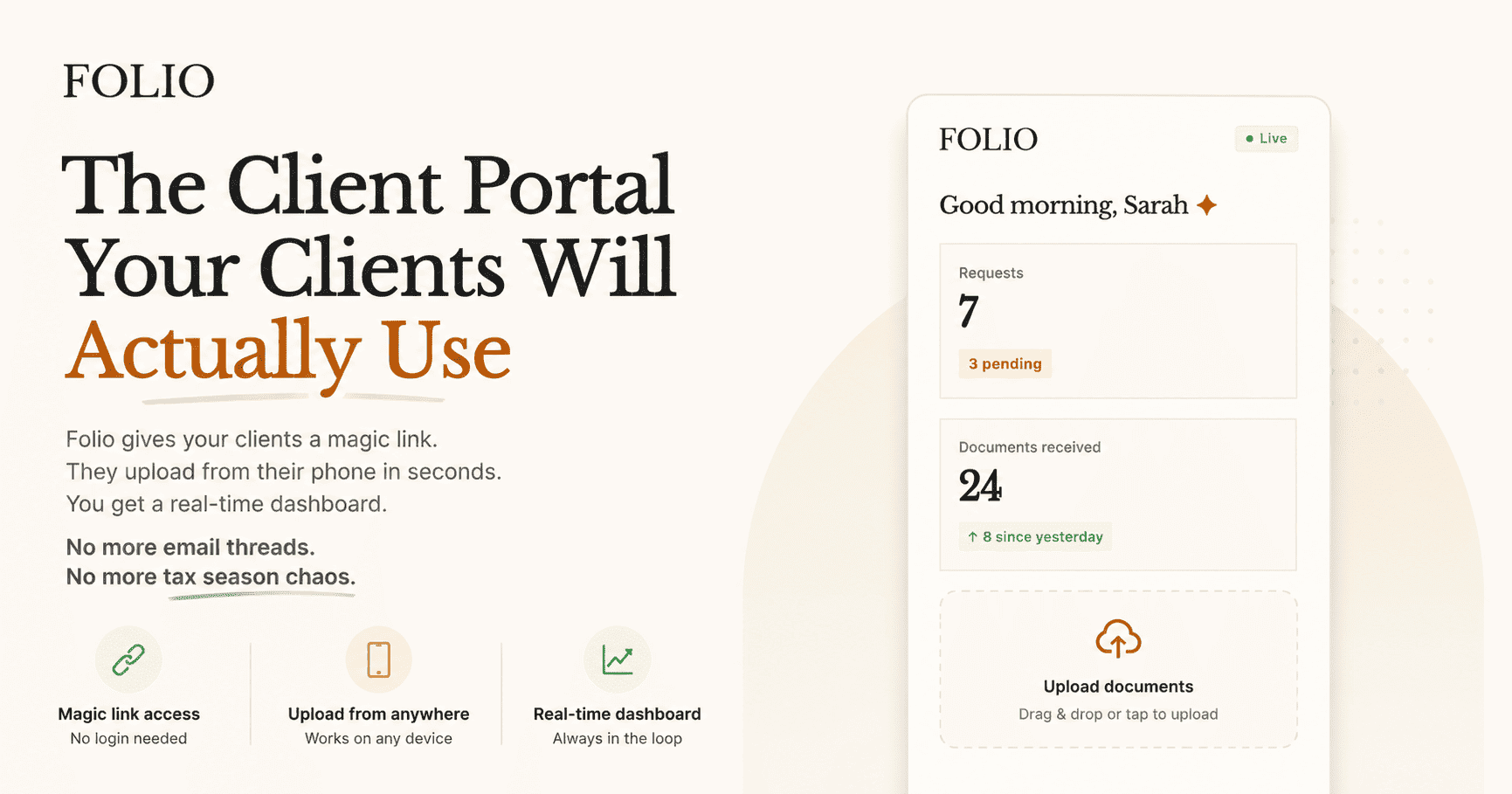
Folio makes your tax season collection infrastructure reusable. Build your templates once, configure reminders once, and each new season is a copy-paste operation — not a rebuild. Magic link portals, automated reminders that stop when clients complete, and a real-time dashboard that replaces the inbox and the spreadsheet.
Stay close
Run tax season without the chaos
Folio gives every client a magic link portal. They upload from their phone in under two minutes. You watch a dashboard instead of digging through inboxes.
Join the waitlistRelated posts
How to Automate Client Document Reminders Without Annoying Anyone
Manual reminders waste operator time and irritate clients. Automated reminders work when they are contextual, stop on completion, and escalate with purpose.
Read article →How to Stop Chasing Clients for Documents
Document chasing is the single largest time sink in client-facing accounting work. This is the system that eliminates it — not by sending more reminders, but by designing collection flows that clients complete on their own.
Read article →