TaxDome Alternatives for Small Accounting Firms in 2026
TaxDome is the market leader. It is also $1,000 per user per year, requires 6–8 weeks to implement, and is built for firms that need everything in one place. If that is not your firm, here is what the market actually offers.
On this page
TaxDome is the most-reviewed practice management platform in accounting — 3,500+ G2 reviews, rated 4.7 stars, winner of the 2025 CPA Practice Advisor Readers’ Choice Award. That reputation is earned. For firms that need a unified system for CRM, document management, workflow automation, e-signatures, invoicing, and a client portal under one roof, TaxDome is a credible answer.
But that is a specific buyer. If your firm’s primary pain is document collection and client communication — not practice management breadth — TaxDome’s pricing structure, implementation timeline, and feature surface may be more than you need and more than you should pay for.
How to use this comparison
This is not a feature checklist. It is a buyer-fit guide. The right tool is the one that solves the specific workflow your firm runs every week without burdening the ones it does not.
What TaxDome actually costs
Before evaluating alternatives, you need a clear picture of what TaxDome’s total cost looks like for a small firm.
TaxDome cost model (2026)
$800
per year — Essentials (solo only)
Single-user hard cap. No team members, no monthly billing option.
$1,000
per user per year — Pro
The plan most firms end up on. 5-person firm = $5,000/year before add-ons.
6–8 wks
average implementation time
Onboarding calls, template builds, team training. Not a weekend project.
Add-ons compound the number. SMS reminders cost $0.04 per message plus a $30 setup fee and $11/month subscription per firm. Seasonal staff require full Pro seats at $100/month. White-labelled mobile apps require a custom quote. A five-person firm with active client communication can clear $7,000–$9,000 per year before accounting for any integration costs.
$5,000+
annual cost for a 5-person firm on TaxDome Pro, before SMS add-ons and seasonal seats
Source: TaxDome published pricing, May 2026That is not an indictment — it is context. If TaxDome replaces five separate tools, the consolidation economics make sense. If it replaces two, they do not.
The four categories of alternatives
The market for TaxDome alternatives splits into four categories. Understanding the category matters more than comparing individual features.
Alternative categories for small accounting firms
| Category | Best for | Primary tradeoff |
|---|---|---|
| Full-suite practice management | Firms that want CRM, workflow, portal, and billing in one system | High cost, long implementation, complex for small teams |
| Workflow-first tools | Firms that need task and job management more than client-facing features | Portal and document collection is secondary or basic |
| Purpose-built document portals | Firms whose primary pain is collection friction and document chasing | Narrower feature surface — not an all-in-one system |
| File sharing and storage tools | Firms that just need a shared folder with clients | No request layer, no reminders, no status tracking |
The main alternatives evaluated
Karbon
Karbon is the workflow-first alternative most often mentioned alongside TaxDome. It covers client management, work items, team collaboration, and email integration at a level of depth TaxDome does not match. Where it underdelivers for small firms: the client portal is secondary, setup is complex, and pricing is per-seat with no free trial.
Best fit: Firms of 5–30 staff where internal workflow visibility and team collaboration are the primary bottleneck. Not the best choice if client-side document collection is the primary pain.
Canopy
Canopy positions as a full-suite alternative with a modern interface. Its client portal handles document requests and e-signatures. Its practice management layer covers time tracking, billing, and task management. The catch for small firms: document management and workflow automation are sold as add-ons, not bundled. A firm needing both can end up at $432/user/year for document management plus $480/user/year for workflow features, on top of the base seat cost.
Best fit: Firms that want a polished interface and are willing to assemble the feature set they need via add-ons.
Pixie
Pixie is a flat-fee practice management tool — meaning no per-seat pricing. One price regardless of team size, covering workflows, client records, document signing, and a client portal. It does not include billing and payment collection natively, so firms handling invoicing will need a separate tool. But for small practices where the per-seat cost of TaxDome Pro is a growth ceiling, the pricing model alone makes Pixie worth evaluating.
Best fit: Firms of 2–8 staff who want simple workflow management without per-seat pricing pressure.
SmartVault
SmartVault is a document management and portal tool with deep integrations into tax software like Drake and Lacerte. It is not a full practice management suite — it does not cover workflow, CRM, or billing. But for firms that already have those covered and specifically need secure, integration-friendly document storage and client-facing access, it handles that job well.
Best fit: Firms where document storage, version control, and tax software integration are the specific need. Not a TaxDome replacement — a document layer for firms already running a practice management system.
Folio
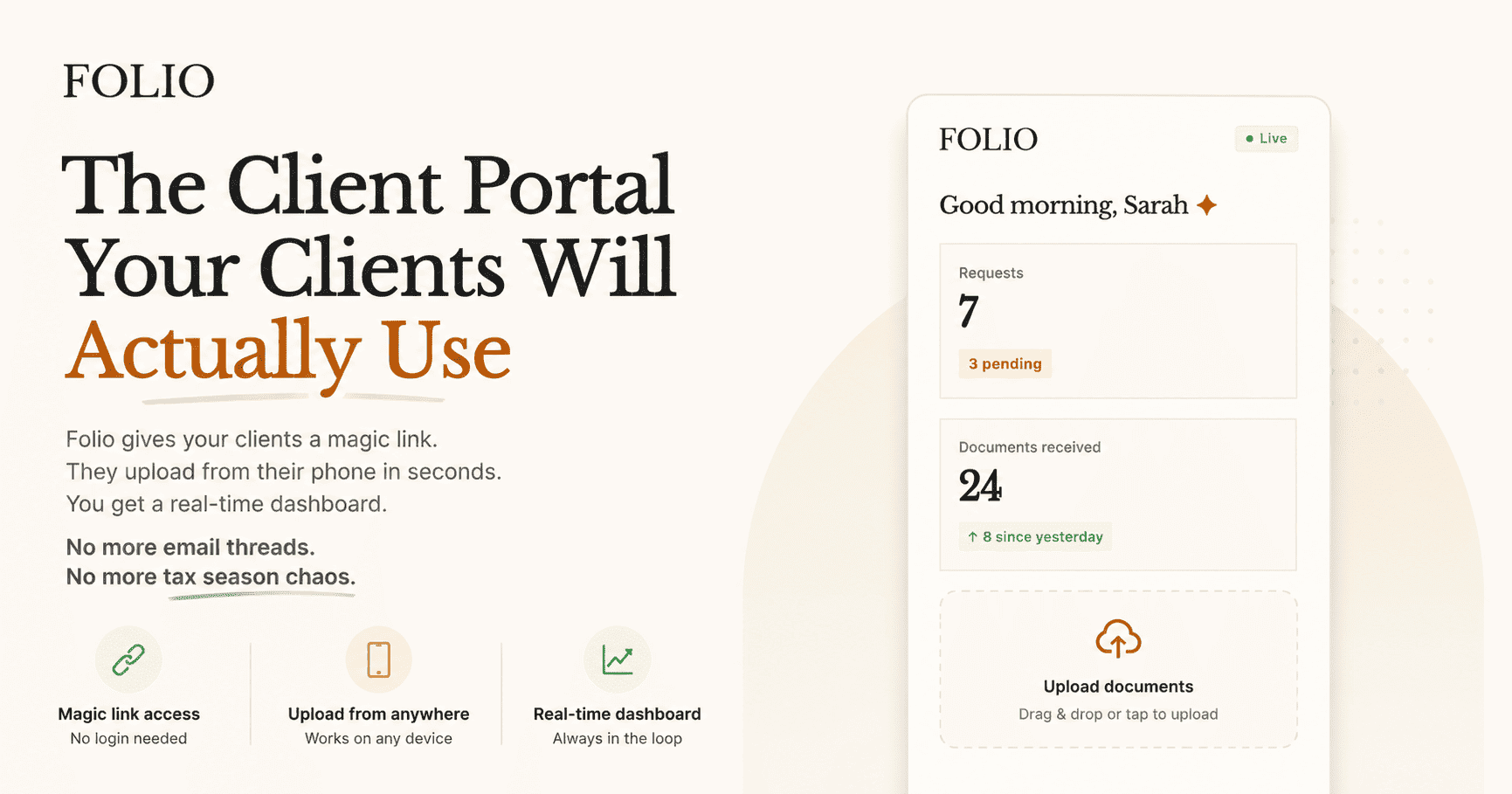
Folio is purpose-built for the document collection workflow. Not a practice management suite. Not a CRM. Not a billing system. Its scope is deliberate: the client receives a magic link, uploads from their phone in under two minutes without creating an account, and your dashboard updates in real time. Reminders are automated and stop on completion. Setup takes 10 minutes, not 6–8 weeks.
Best fit: Firms whose primary operational pain is client document collection — chasing, following up, tracking submissions, and handling resubmissions. Firms that already have (or do not need) a practice management tool and want a dedicated collection layer that gets used.
Head-to-head: where each tool wins
TaxDome vs key alternatives — by use case
| Use case | Strongest option | Why |
|---|---|---|
| All-in-one practice management | TaxDome | Deepest feature surface, most integrated, most reviewed |
| Team workflow and job management | Karbon | Purpose-built for internal ops visibility and team collaboration |
| Modern interface without enterprise complexity | Canopy | Clean UI, modular — build the feature set you need |
| Flat-fee pricing without per-seat ceiling | Pixie | Team growth does not change your monthly bill |
| Client document collection — zero client friction | Folio | Magic links, no account creation, automated reminders, 10-min setup |
| Document storage + tax software integration | SmartVault | Native integrations with Drake, Lacerte, and ProSeries |
The questions that determine your fit
Before scheduling a demo with any tool, answer these four questions. They will eliminate at least two options from your shortlist.
TaxDome alternative evaluation framework
What is your actual primary bottleneck?
Write it in one sentence before you look at any tool. If the sentence is “clients do not submit documents on time and we chase constantly,” your problem is collection friction — not workflow management. Choose accordingly.
How many seats do you actually need?
Per-seat tools (TaxDome Pro, Karbon) require you to model the true cost at current and projected team size. A 3-person firm paying $1,000/user/year is spending $3,000/year. A flat-fee tool may cost $200–$400/year for the same team. Run the 3-year number.
What is your implementation capacity?
Do you have a team member who can own an 8-week onboarding project, build workflow templates, and train the team? If not, eliminate tools that require it. Folio and Pixie can be live in days. TaxDome and Karbon cannot.
What is the client experience you need?
Run the client side of every tool you are considering before you commit. Time how long it takes a non-technical person to go from receiving the link to completing a document upload. If it takes more than 3 minutes, expect adoption to fail. Magic link portals consistently outperform account-based portals on this test.
The honest comparison you will not find in most reviews
Full practice management suite vs purpose-built document portal
Pros
- One login for your team covers CRM, workflow, billing, and client portal.
- Eliminates tool fragmentation for firms managing large, complex engagements.
- Audit trail and compliance reporting across all firm functions in one system.
Cons
- Higher per-seat cost — $5,000–$9,000/year for a 5-person firm before add-ons.
- Longer implementation — TaxDome averages 6–8 weeks before your team is productive.
- Feature depth becomes overhead for small firms who do not use 60% of the platform.
- Clients still need to create accounts or navigate a branded portal — friction that reduces adoption.
If document collection is the problem, solve document collection
Folio does one thing: makes it easy for clients to send you documents and easy for you to track what you have. Magic link access, automated reminders that stop on completion, and a real-time dashboard. Live in 10 minutes. No per-seat fees.
What to do before you switch anything
Switching practice management tools is costly. Before you commit to a migration, validate your assumptions with three weeks of parallel running:
Pre-switch validation checklist
- Identify the top 3 complaints your team has about the current system — are they in the tool category, or in how the tool is configured?
- Run the client-side experience of your shortlisted alternative with a real client, not a test account.
- Model total cost of ownership at current team size and 12-month projected size.
- Confirm whether your existing integrations (tax software, payment processor) are supported natively or via workaround.
- Check implementation timeline against your next peak season — do not start a migration in January.
The right alternative to TaxDome is the one your team will actually use and your clients will actually complete. For firms where document collection is the primary operational pain, a purpose-built portal that takes 10 minutes to configure and gets completed by 9 in 10 clients is worth more than a full suite that sits 60% unused.
Stay close
See how Folio compares
Folio is purpose-built for document collection — magic link portals, automated reminders, and zero per-seat fees. Not a practice management suite you will spend weeks configuring.
Compare alternativesRelated posts
Best Client Portal Software for Accountants in 2026
Most client portals were built for IT teams, not accountants. This evaluation framework helps you pick the one that actually fits how your firm collects documents, manages requests, and delivers work.
Read article →How to Set Up a Client Document Portal in 10 Minutes
Portal setup should not take a sprint. This is the step-by-step pattern for going live with secure document collection in a single sitting.
Read article →